
nOversight

Understand your Wi-Fi. In seconds
Simple Wi-Fi for home, large networks, and everything in between.
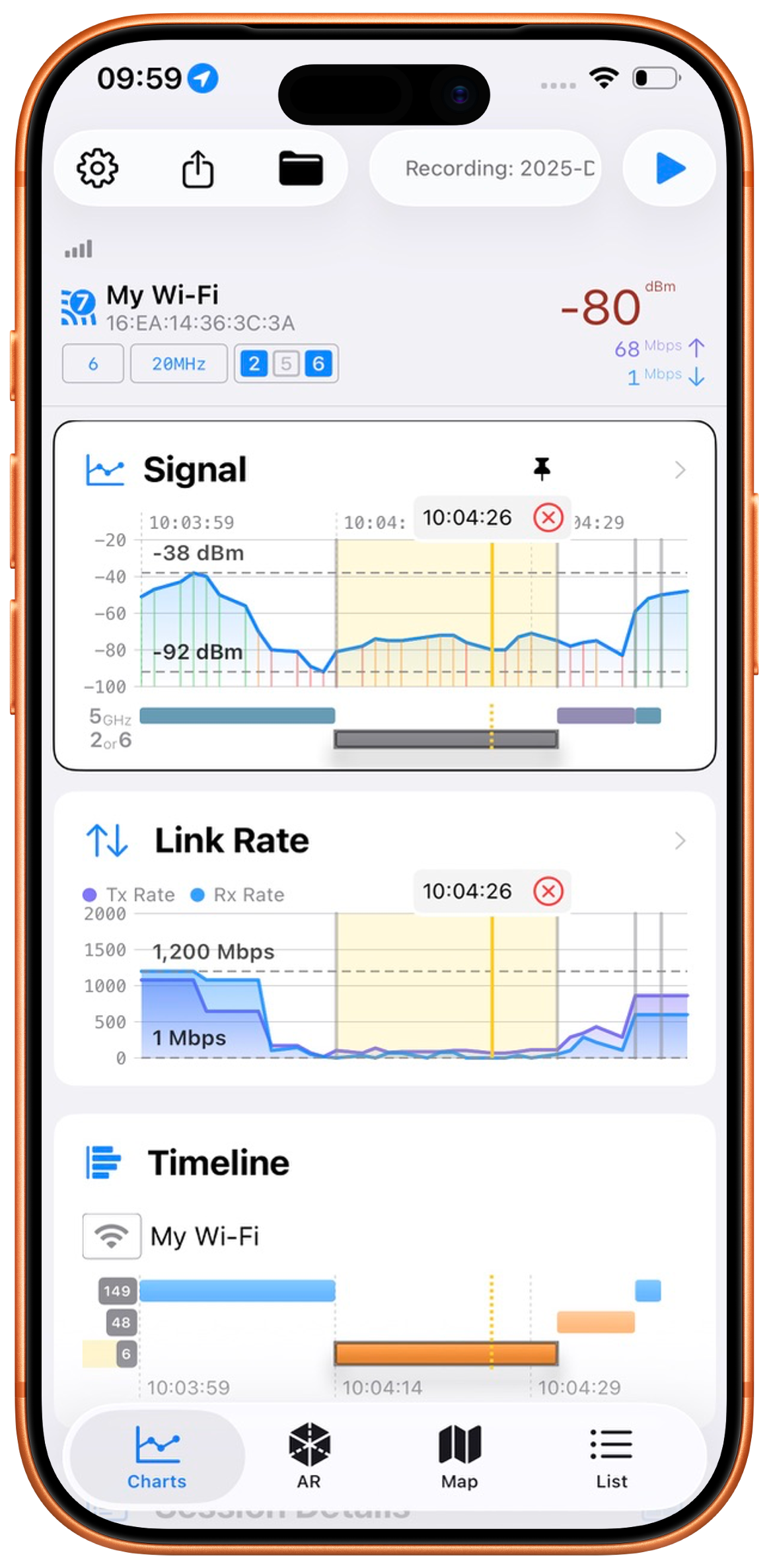
No hardware. No Profiles. Just download and go.

MacOS 14 +
Any iPhone. iOS 17 or later
Built for everyday Wi-Fi troubleshooting. Trusted in professional networks.
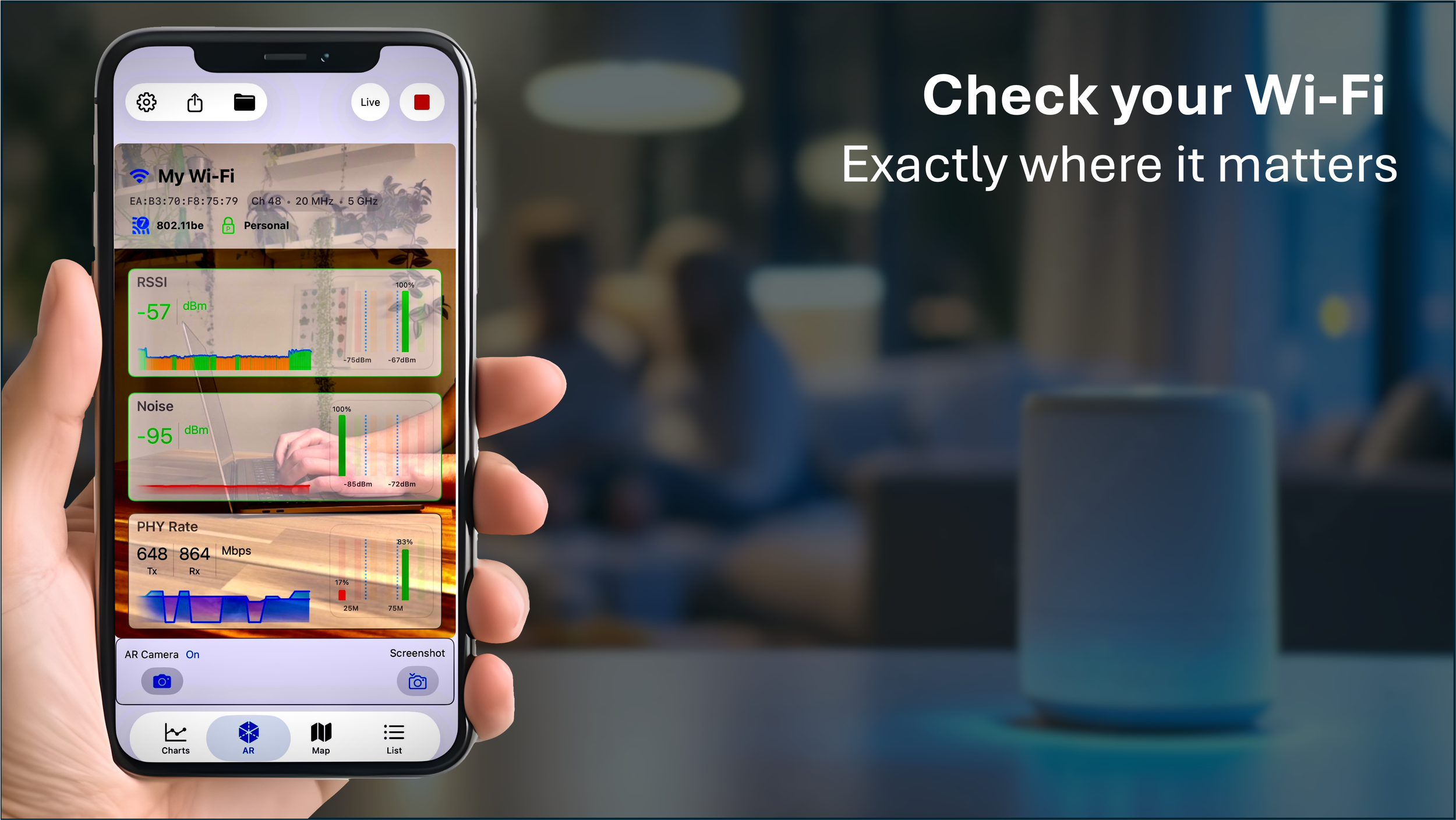
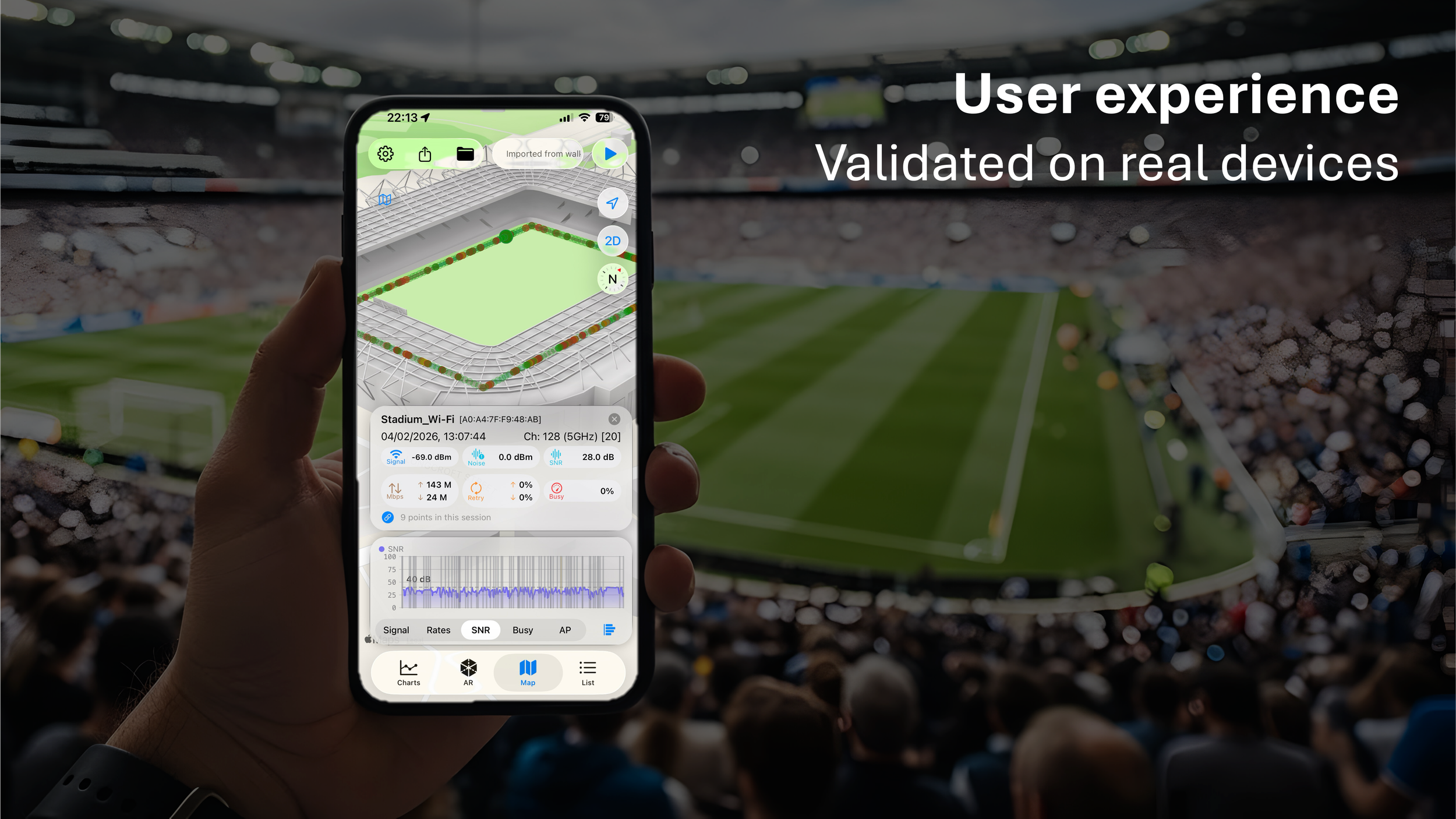
The Original app to unlock the power of the Secure Apple Shortcuts Integration
Apple strictly blocks traditional apps from reading iPhone Wi-Fi hardware metrics. nOversight breaks through that barrier.
If you can spend two minutes following a few simple steps to activate our custom Apple Shortcut, nOversight becomes the ultimate tool for you. No additional hardware needed.
Turn your iPhone into the perfect Wi-Fi analyzer. Walk your space to map real-time signal strength, measure exact Wi-Fi speeds in each room, and unlock deep roaming analytics, heatmaps, and other Access Point data that standard iOS apps simply cannot reach.
Understand Your Wi-Fi in Seconds.
The original, advanced Wi-Fi analyzer for iPhone and iPad. Trusted by professionals
Track real-time signal strength, map dead zones, and view deep network statistics with zero external hardware.
This is an excellent free Wi-Fi analysis app aimed a little towards professionals but not difficult to use. [London Lad 888]
•
I really love the AR mode so you can see live signal quality while you walk around [Kjetil Hansen, Wi-Fi professional]
•
Totally amazing how much useful information you can get directly from you iOS device. I think I've been using nOversight nearly every day. [Keith Parsons]
This is an excellent free Wi-Fi analysis app aimed a little towards professionals but not difficult to use. [London Lad 888] • I really love the AR mode so you can see live signal quality while you walk around [Kjetil Hansen, Wi-Fi professional] • Totally amazing how much useful information you can get directly from you iOS device. I think I've been using nOversight nearly every day. [Keith Parsons]
Without needing extra hardware this is by far the best wifi analyzer out there [nc963y]
•
The best iOS app for Wi-Fi engineers [Krisalexroberts]
•
I do Wi-Fi professionally and the amount of information is able to gather is unbelievable [bionicrocky]
•
Without needing extra hardware this is by far the best wifi analyzer out there [nc963y] • The best iOS app for Wi-Fi engineers [Krisalexroberts] • I do Wi-Fi professionally and the amount of information is able to gather is unbelievable [bionicrocky] •
Visualize Dead Zones.
See your Wi-Fi with AR Camera Overlays & 3D Heatmaps
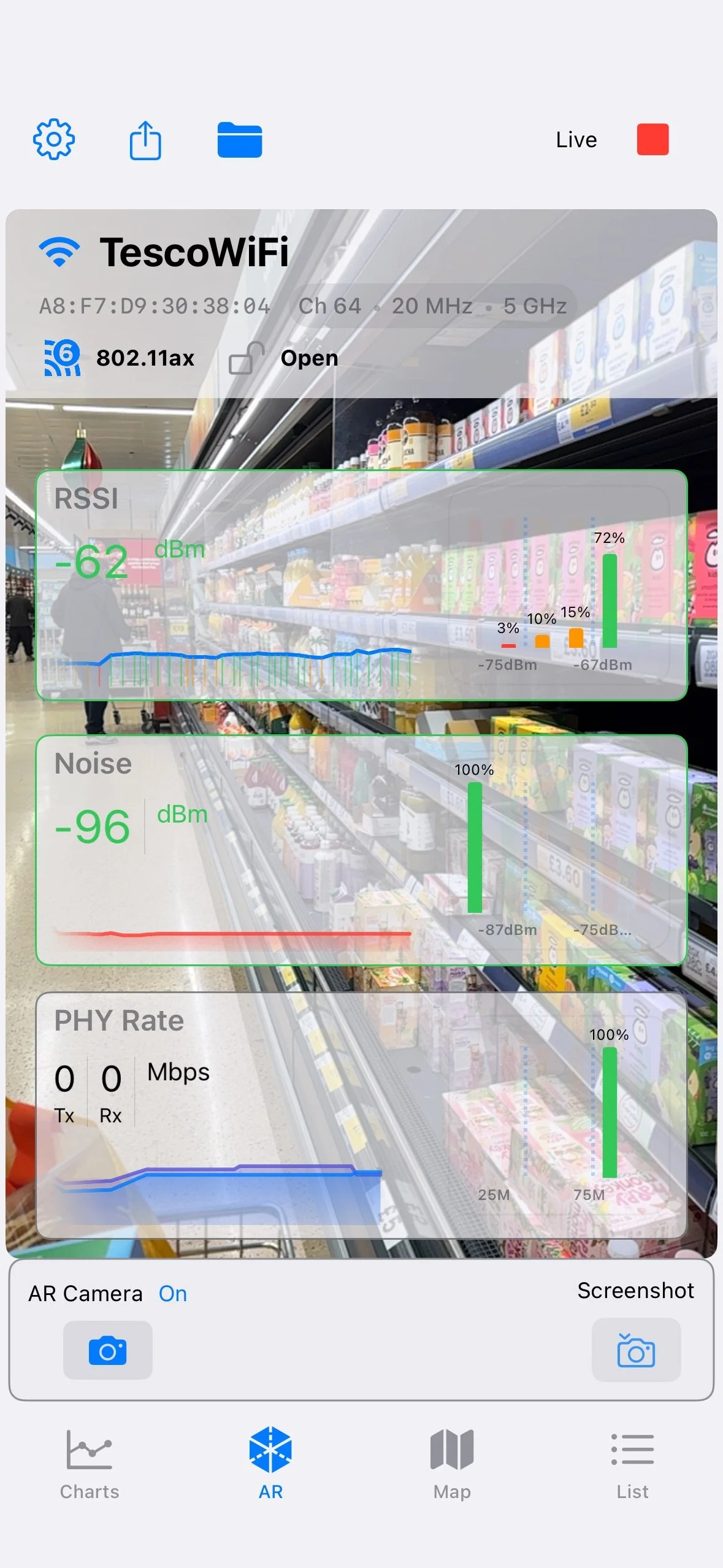
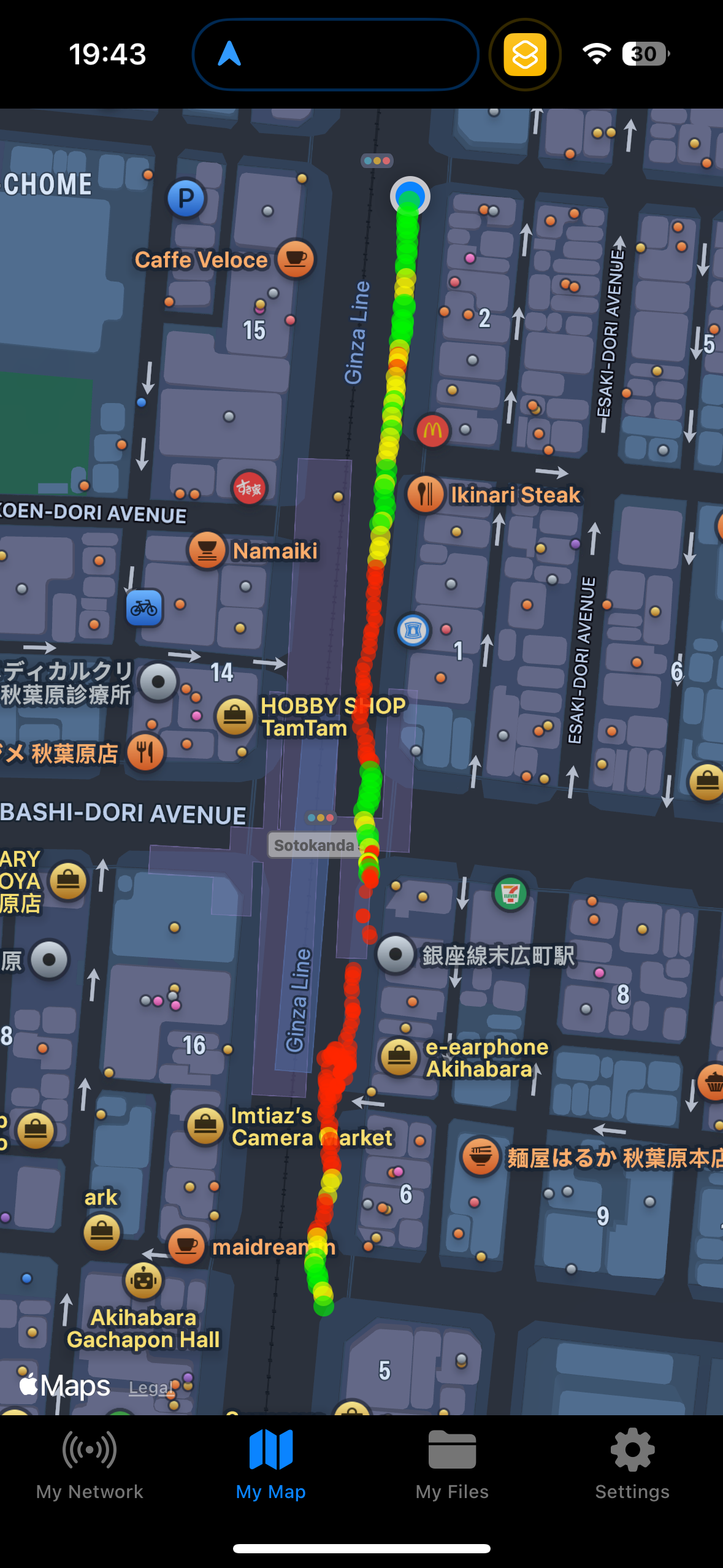
Simply walk your environment to track live Wi-Fi signal strength and link quality overlayed directly onto your physical space.
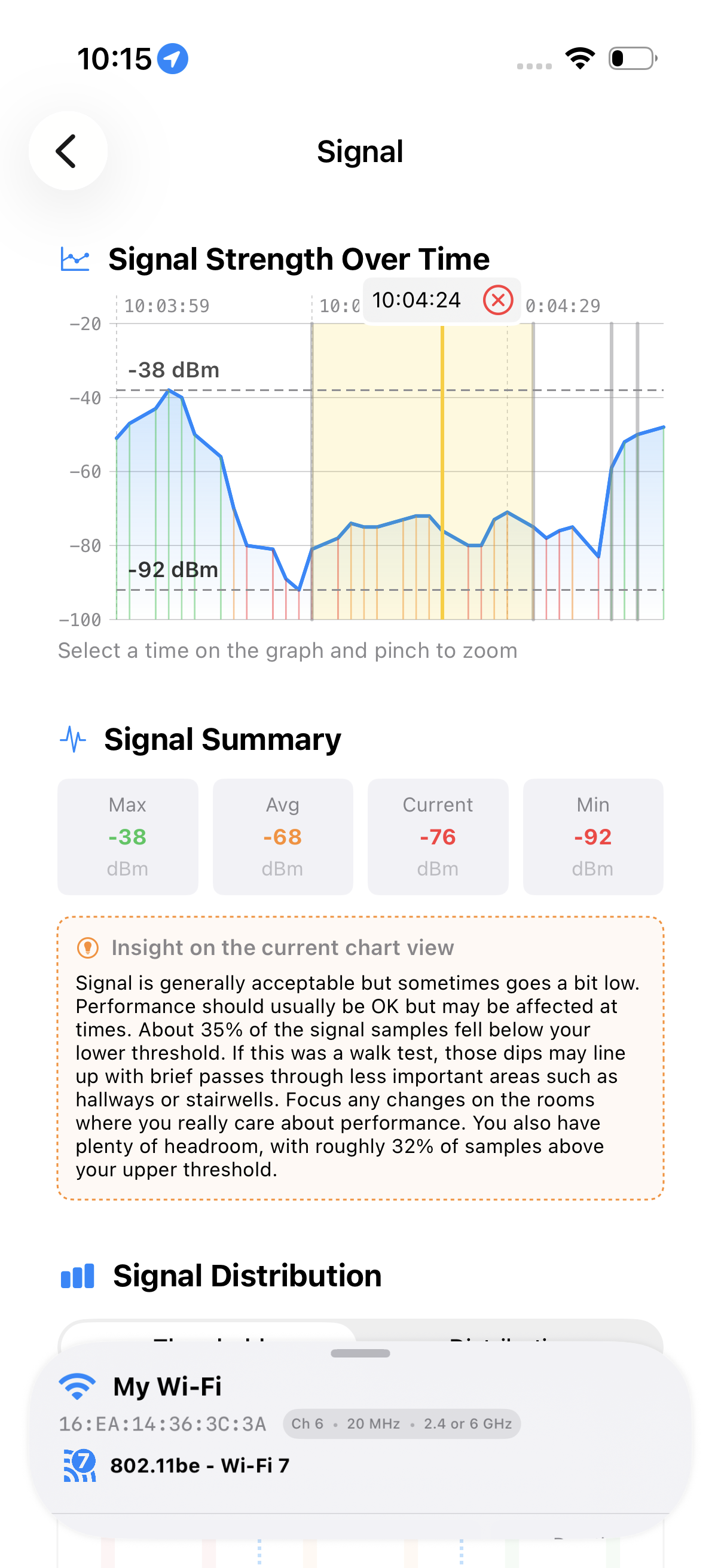
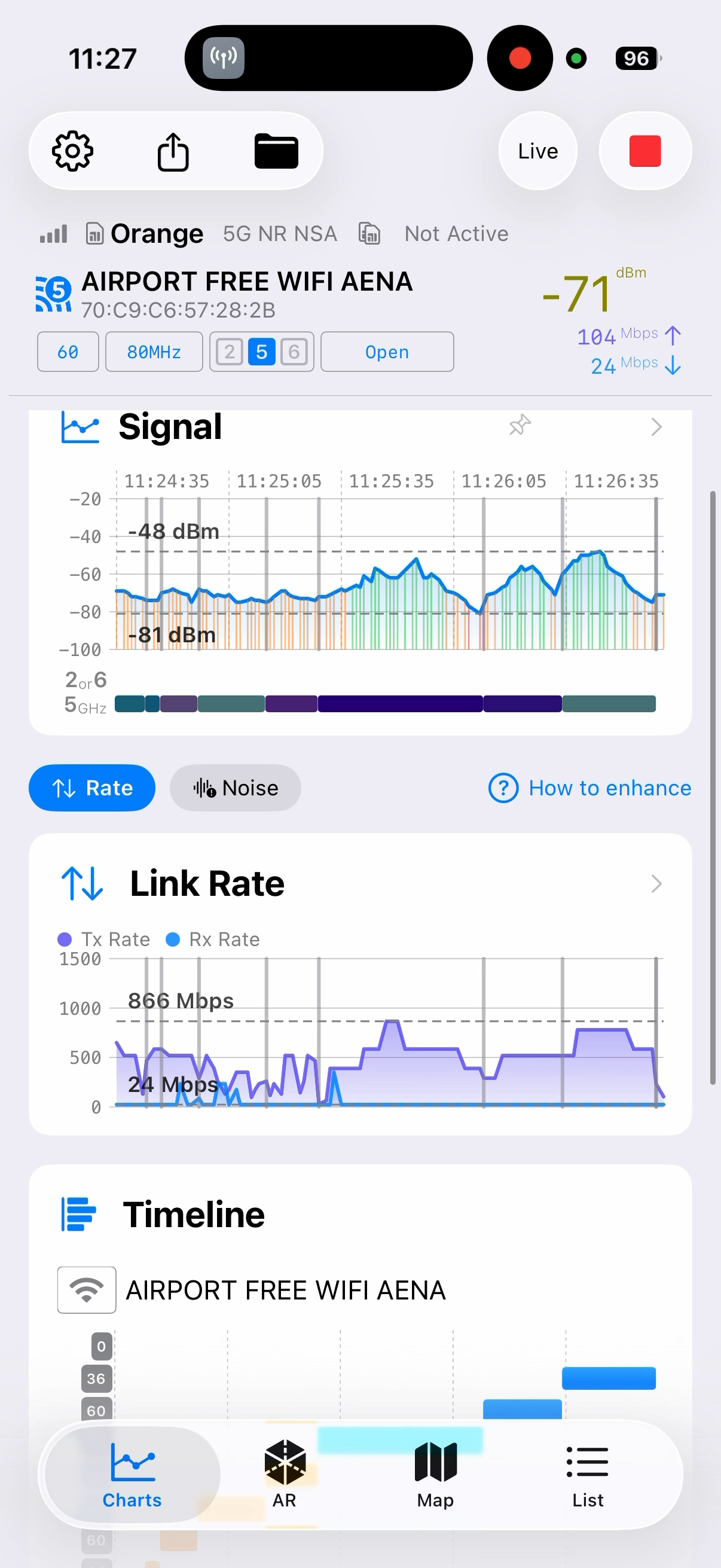
Track Real Signal Strength and detailed Metrics in Real Time
See how your iPhone or iPad connects and roams as you move around.
Find out how to adjust your Access Points (or repeaters) for the best overall coverage
Make sure your phone is switching to the Access Points around the house
Get hints on how well your Wi-Fi works in different rooms

nOversight for MacOS
-
Analyse in all the detail
Signal Strength
Data Rates
Latency
Congestion and Retries
Record, Save, Review and Report
Walk test your environment and come back to it later
Analyse remote devices
-
A simple, very low cost application for learning about your Wi-Fi environment.
Open this page on a Mac device to see download and purchase options
Questions before you get started?
-
nOversight is an app that lets you see and understand how your Apple device experiences Wi-Fi, using just your iPhone, iPad, or Mac.
You can walk around and visualise signal strength, performance, and coverage in real time, helping you quickly spot weak areas and understand why Wi-Fi feels slow — without any extra hardware.
-
nOversight is for anyone who wants to understand Wi-Fi from the device’s point of view.
Home users can quickly find weak signal areas and performance issues using clear charts and maps. Professionals can go deeper, analysing interference, congestion, and roaming behaviour.
A unique AR mode overlays Wi-Fi data on a live camera view, showing exactly where Wi-Fi works — and where it doesn’t.
-
No. nOversight works directly on your iPhone, iPad, or Mac using the device’s built-in Wi-Fi hardware.
There’s no need for external adapters, dongles, or specialist equipment.
-
iPhone & iPad (iOS / iPadOS 17+)
Mac (macOS 14+)
On Mac, nOversight displays live data streamed from your iPhone. The iPhone must be trusted by the Mac and connected either by cable or via wireless syncing on networks that allow mDNS.
-
Whether you are a home user on enterprise Wi-Fi admin - nOversight is the low cost Wi-Fi analysis tool for you.
Need a quick network scan to check coverage. Get the iOS app.
Want to dig deep into the details to fix an issue. MacOS analysis is for you.
*nOversight for MacOS and nOversight iOS (on your device) require separate licences.
Getting Started
-
Apple does not allow apps to access detailed Wi-Fi connection data directly through normal system interfaces.
Instead, Apple provides a secure, user-controlled method via the Shortcuts app. This is the only supported way Apple allows Wi-Fi diagnostic data to be shared.
nOversight guides you through installing a Shortcut called “Network to nOversight” using Apple’s own Shortcuts app. When prompted, choose “Always Allow” so data can flow correctly.
This uses Apple’s official tools and keeps all data on your device.
-
After installing the Shortcut:
Return to nOversight
Tap the Play ▶︎ button in the top-right corner
Start walking and viewing your Wi-Fi data in real time
If the Play button isn’t pressed, data won’t appear. This is the most common reason users think something isn’t working.
-
This usually means the Shortcut permissions weren’t fully accepted.
To fix this:
Open the Shortcuts app
Delete “Network to nOversight”
Return to nOversight and let it guide you through setup again
Choose “Always Allow” when prompted
-
No. All data stays on your device.
The permissions are only used to move data internally between Apple Shortcuts and the nOversight app.
nOversight does not upload data, does not use servers, and does not share information externally.
What can you do with nOversight?
-
With nOversight you can:
See signal strength change as you move
View the Wi-Fi link rate to the router or access point
Identify interference and noise
Overlay Wi-Fi data on a live camera view (AR)
Use map views for indoor or outdoor coverage
This helps you understand whether Wi-Fi is limiting performance — or whether the issue lies elsewhere.
-
Wi-Fi logs are internal diagnostics generated by your Apple device that explain how and why Wi-Fi behaves the way it does.
Importing logs unlocks deeper insight such as signal-to-noise ratio, retry rates, congestion levels, and roaming decisions.
-
Yes. Pro mode is required to import logs, save walk tests, and export results.
Without Pro mode, you can run tests for up to one minute, but results aren’t saved.
Pro mode allows you to save results, make changes, and re-test — which is the fastest way to improve Wi-Fi.
Features
What license do you need? Here is our take
Start free and check your Wi-Fi today. Upgrade when you want to save your Wi-Fi checks, compare changes, and optimise your Wi-Fi.
Feel the need for more details? Pro will get you reading in the detailed system logs and you’ll be looking at all the details
Live Wi-Fi visualisation
Walk-around signal strength
Link rate & performance
Interference & noise insight
AR Wi-Fi overlay
Map view (indoor & outdoor)
Test duration
Save walk tests
Compare before / after
Wi-Fi log ingestion
Signal-to-noise ratio (SNR)
Retry rate analysis
Congestion indicators
Roaming & steering insight
CSV export
Mac deep-dive views
iOS Pro
iOS Standard
✓ Live + saved
✓ Saved + reusable
✓ Live + historical
✓ Full analysis
✓ Yes
✓ Saved & reusable
Unlimited
✓ Yes
✓ Yes
✓ Yes
✓ Yes
✓ Yes
✓ Yes
✓ Yes
✓ Yes
✕ +
✓ Live only
✓ Real-time
✓ Live view
✓ Basic indicators
✓ Yes
✓ Live view
Up to 1 minute
✕
✕
✕
✕
✕
✕
✕
✕
✕ +
+ Mac deep-dives requires a separate MacOS License
Features
What license do you need? Here is our take
Start free and check your Wi-Fi today. Upgrade when you want to save your Wi-Fi checks, compare changes, and optimise your Wi-Fi.
Feel the need for more details? Pro will get you reading in the detailed system logs and you’ll be looking at all the details
Standard (Free)
Good for quick checks
Live Wi-Fi visualisation ✓
Walk-around signal strength ✓
AR Wi-Fi overlay ✓
Test duration: up to 1 minute
Saving results ✕
Log analysis ✕
Pro
Best for fixing & validating Wi-Fi
Live + saved tests ✓
Unlimited test duration ✓
Save & compare results ✓
Wi-Fi log ingestion ✓
Roaming & congestion insight ✓
CSV export ✓
Want more from your iPhone? — Join the nOversight Beta!
If you've been catching our teasers and wondering how to get all that Wi-Fi goodness from your Apple device, now’s your chance to dive in early.
nOversight V6 is in Beta and you can try it out. Forget using diagnostic profiles which expire every few days. Instead, get hands-on with nOversight’s beta and help us shape the future of easy, affordable Wi-Fi optimisation. Your feedback will make the difference — plus, you’ll be first to experience smoother, smarter connections like never before.
iOS Beta is closed